Viewer guide
Builds
Deploy a prototype, watch the build log, and read what a failed build is telling you.
A build turns a commit in your GitHub repository into a version the Viewer can show. This page assumes the project already has a repository connected. If not, see deploying a prototype.
What happens when you deploy#
The Viewer clones your repository, installs dependencies, runs your build command, and publishes the result. One build runs at a time per project; starting another while one is running is refused until it finishes.
Starting a build#
Open the project's review page and click the Deployments tab in the right rail. Click the Deploy button to start a build.
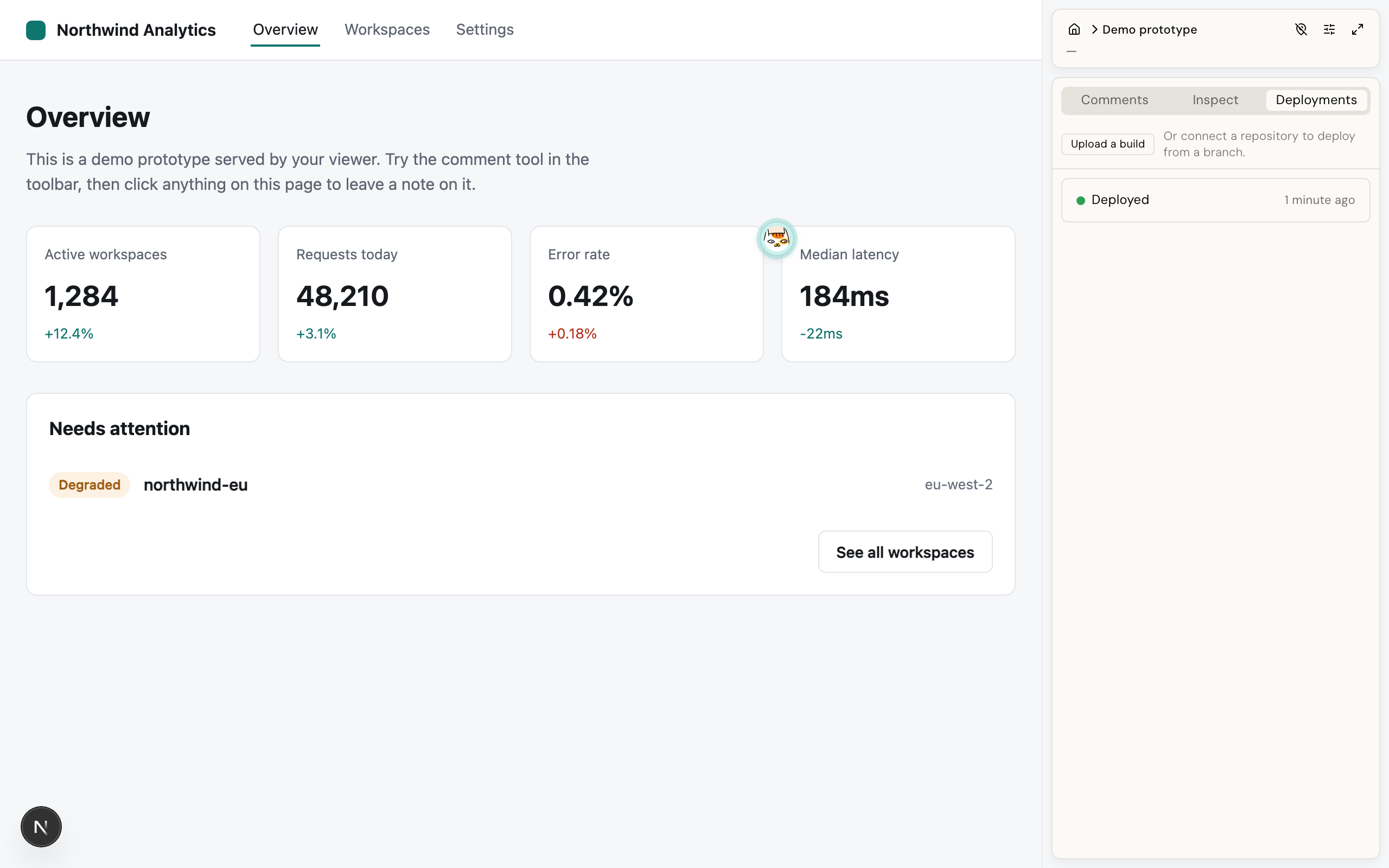
Each build shows as its own card, with a status pill. Click a card to open its detail, which shows the build steps and, for the project's owner or an admin, the live log.
If the Deploy button is disabled, the panel says why, in these words:
| Message | Meaning |
|---|---|
| Building needs a GitHub App, which isn't set up on this viewer | Whoever set up this Viewer has not connected a GitHub App yet. |
| Connect a GitHub repository first | This project has no repository configured. |
| Only editors and admins can start a build | You can open the project, but your role does not allow building it. |
| A build is already running | One build per project at a time. |
Automatic builds on push#
Turn on Auto-deploy on push in the project's Repository panel, and a push to the connected branch starts a build on its own, with nothing further to click. This needs whoever administers your Viewer to have set it up once on the GitHub side.
Status pills#
| Pill | Meaning |
|---|---|
| Building | The build is running now. |
| Deployed | The build succeeded. If it is the newest one, it is what reviewers see. |
| Failed | The build did not finish. Open it to see why. |
Watching the log#
The log updates live as the build runs. Reading it needs the same access as the project itself: someone who cannot open the project cannot read its logs either.
When a build fails#
Each failure ends with a one-line reason at the end of the log.
| Message | What it means |
|---|---|
| Clone failed | The branch does not exist, or the Viewer's GitHub connection cannot read the repository. Check that the GitHub App still has access to it. |
| Install failed / Build failed | Your own install or build command exited with an error. The log has the real error. On a first build, the usual cause is a lockfile that does not match package.json. |
Commit <sha> not found |
The commit you asked to build is not reachable in the repository. |
| Build output directory "dist" does not exist | The build succeeded but did not write to the folder configured as the output directory. Check that setting against what your build tool actually produces. |
| Build output path "dist" is not a directory | The configured output directory points at a file instead of a folder. |
| Build output directory resolves outside the repository | Something in the repository points outside the project, so the Viewer refuses to publish it. |
| Build output contains a symlink | Symlinked files in the build output are refused rather than silently skipped, so you get a clear error instead of a prototype missing files. |
| Build output has no index.html at its root | The Viewer needs an index.html at the top of the output folder to serve the prototype from. |
A failed build never replaces what is already live. The previous version keeps serving until a new build succeeds.
Prototypes that need a server#
Some frameworks build an app that has to run, not a folder of files: a Next.js app with dynamic routes, a Nuxt app, or a React Router app in framework mode. The Viewer notices that from the finished build and runs the app for you. Nothing to configure: connect the repository, and the build and output settings you already have are enough. A build that only writes files is served as files, exactly as before.
Good to know about a prototype that runs:
- The app starts when the first reviewer opens it, and the review page says so while it starts. A cold start can take a moment. It stops again after half an hour with no one looking, and starts on the next visit. Four can run at once; opening a fifth pauses the one nobody has looked at longest.
- If the app keeps crashing, the review page shows its log and a Rebuild button instead of the prototype.
- The app needs an address of its own. That is the case when you open the Viewer on
localhost, and when you have set up subdomain serving. Under plain path serving (/p/<slug>/) the build succeeds but the prototype cannot be shown, and the page says so. - The Upload tab is for files only. An app that needs a server has to come from a connected repository.
One limit: WebSockets do not reach the app. A prototype that opens a live socket (a chat demo, a live feed) sees that connection fail while everything else works. Anything that polls, streams over a plain request, or uses server-sent events is fine.
Good to know#
- Each step of a build (clone, install, build) is limited to 10 minutes.
- Total published output is capped at 200 MB.
- The stored log is capped at 512 KB. The start of the build output is always kept. Once the log hits that cap, later output stops being saved.
- Your build does not receive any secrets or environment variables from the Viewer. If your prototype needs an API key, ship it in the repository or mock the call.
- The build runs your repository's own code, on the Viewer's own machine. Only connect repositories you trust.