How Desde works
Why most changes are instant
Most edits in Desde never touch an AI model, which is why they are instant, exact, and never invented.
Most of the changes you make in Desde happen without any AI model in the loop. A small number cannot be made that way, and those go to the AI instead, in a bounded and checked way. You can always tell which kind of change you just made.
Most changes are made directly#
Changing a button's label, its variant, its size: these are small, specific changes at a known spot in a known file. Desde makes them by rewriting that exact spot, the same way you would if you opened the file yourself and typed the change.
This is why these changes are instant. There is no round trip to a model, so the change appears the moment you make it, and changing the same value forty times in an afternoon costs nothing. It is also why the result is always exactly what you asked for: Desde is not guessing at your file, so it cannot invent a value, rename something nearby, or reformat a part of the file you did not touch. If a change cannot be made safely, Desde says so and leaves your file untouched, rather than saving something close but wrong.
This also makes changes easy to review. A teammate looking at your diff sees one line
change, for example a variant flipping from secondary to primary, and nothing else in
the file moved. When an AI rewrites a file instead, even a correct rewrite tends to arrive
as a much bigger diff, because a reviewer has to read the whole thing to be sure nothing
else changed.
A few changes need the AI#
Some values are not sitting where you clicked. The value you want to change might come from data, such as an item pulled from a list, or it might really live in another file entirely. Desde cannot rewrite a spot it cannot point to, so it hands changes like this to the AI instead.
When that happens, the AI reads across your project to find where the value really comes from, and makes the change there. It is not given free rein: the amount of work it can do on one change is capped, and the result is checked afterwards. If it claims to have made a change but nothing on disk actually changed, or the file it touched no longer reads correctly, the change is refused and your file is left as it was. Either way, the file as it was before is kept, so nothing is ever lost.
You can always tell which happened#
When a change is waiting on the AI, the Commit button in the header changes to Apply N with AI, where N is how many changes are waiting. Click it to send them, and the button goes back to Commit once they are done.
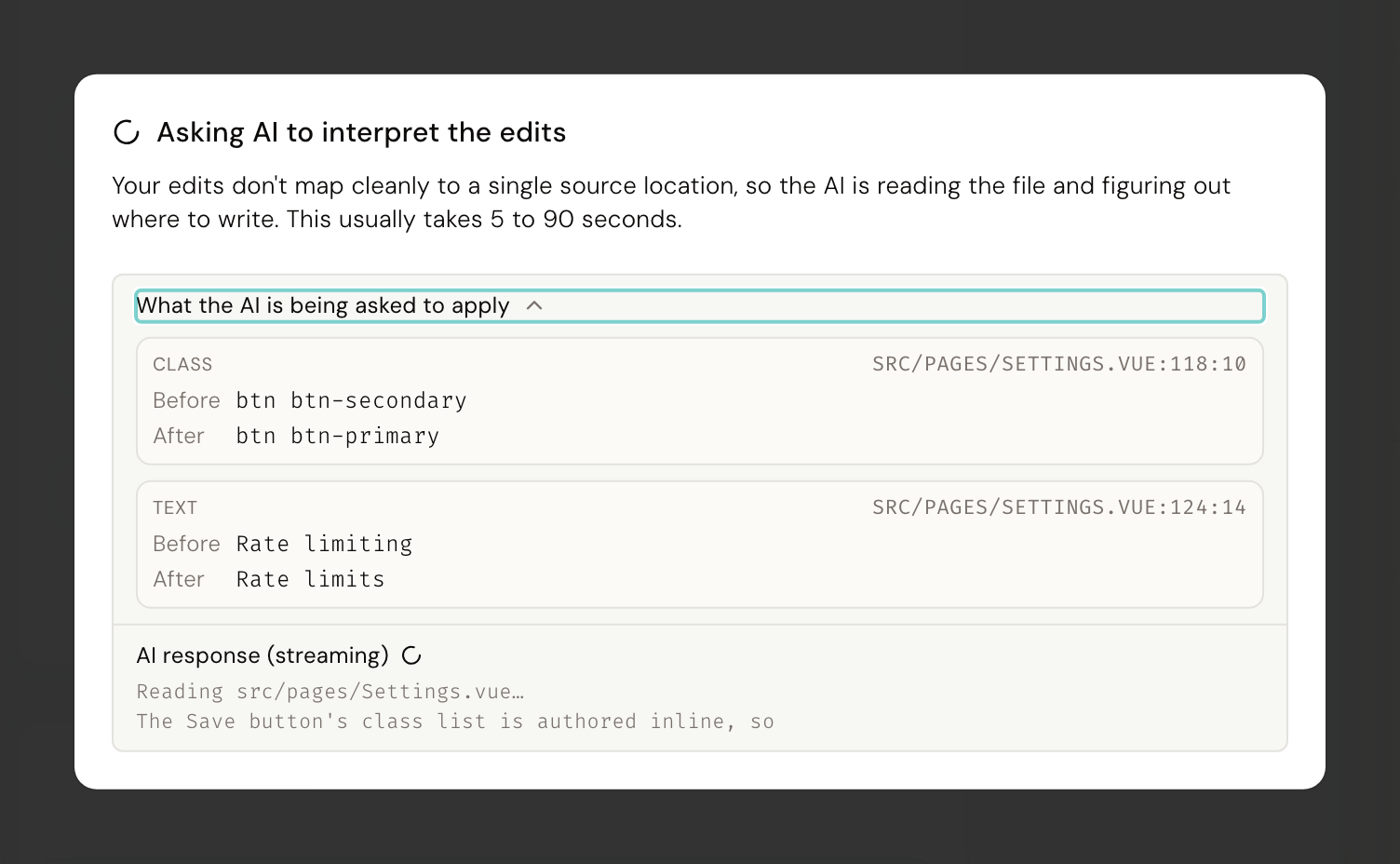
For a change that needs more judgement than a lookup, the chat tab opens instead, with your change already described in it, so you can add detail before sending it. See Making changes for what this looks like while you are working.
Good to know#
A handful of settings, lists, objects, and anything that behaves like a function, cannot be edited directly yet even by the AI's assisted path in the inspector. Ask for the change in chat instead. See When Desde says no for the full list of things Desde will not change by hand.
Next#
- Making changes: where each control lives, and what a refusal looks like
- Your design system, understood: why an edit lands in your design system's own vocabulary
- Commit, branch and push: committing, branching, and undo