Editor
Visually edit your prototypes in their own design system.
Click anything in your running prototype and change it: the words, a variant, a style, where it sits. Every change lands in your source files, using the components and tokens your design system already has. What you hand off is real code, not a mockup.
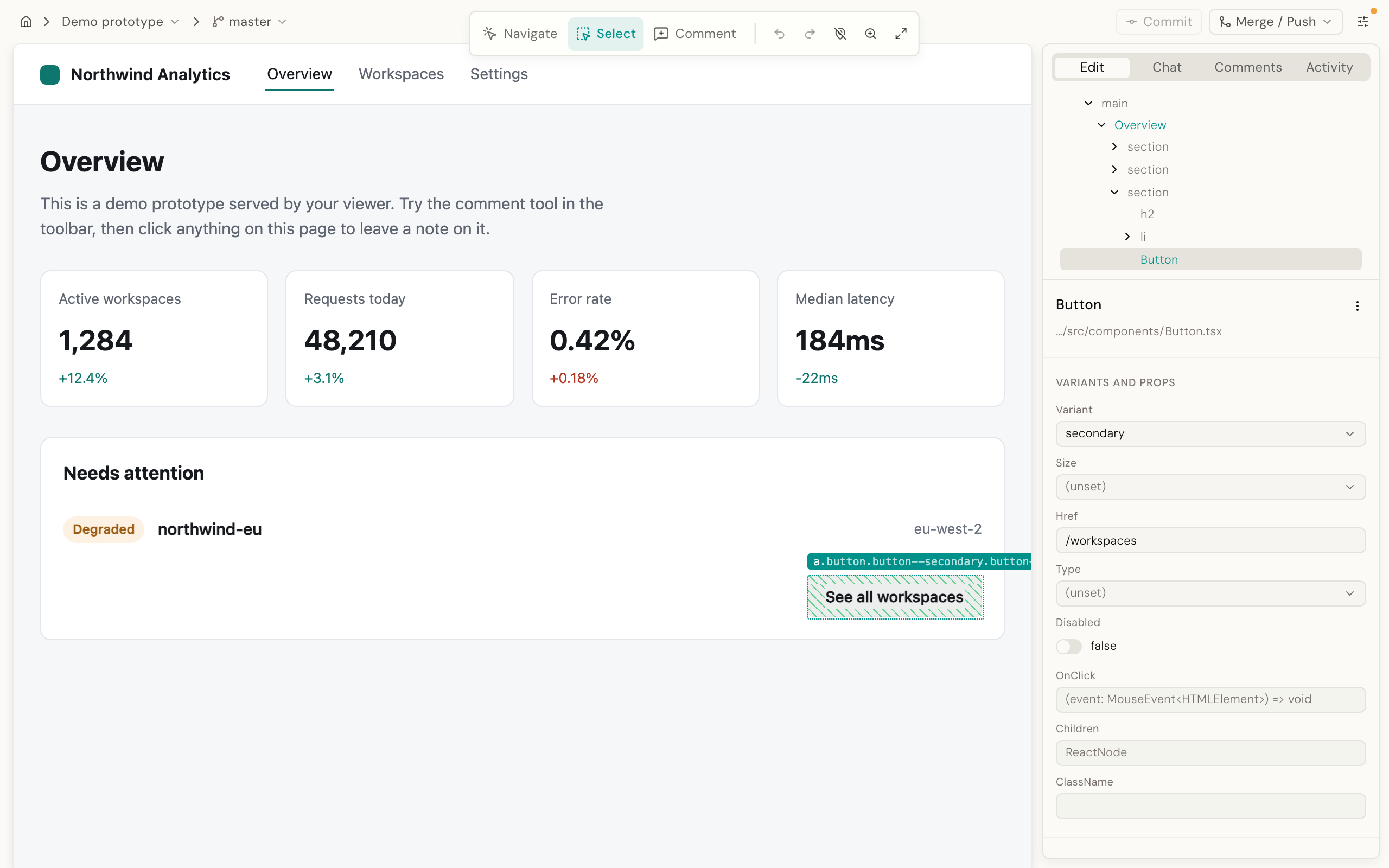
The loop
Click something. Change it. The file changes.
There is no save step and no export. An edit changes the file the moment you make it. Your git is still the save button.
Change a prop
Select a component, pick a variant from the enum its own types declare. The attribute in your source changes, rather than a class name layered on top of it.
Edit text in place
Type directly on the page. If the text came from a prop rather than a slot, the edit is routed to that prop automatically.
Move, delete, unwrap, insert
A move or a delete changes the file at the exact spot that drew the thing, so the diff reads like one you would have written by hand.
Ask for the fuzzy things
A chat panel that already knows your components and your design tokens, for the changes that are not a single setting.
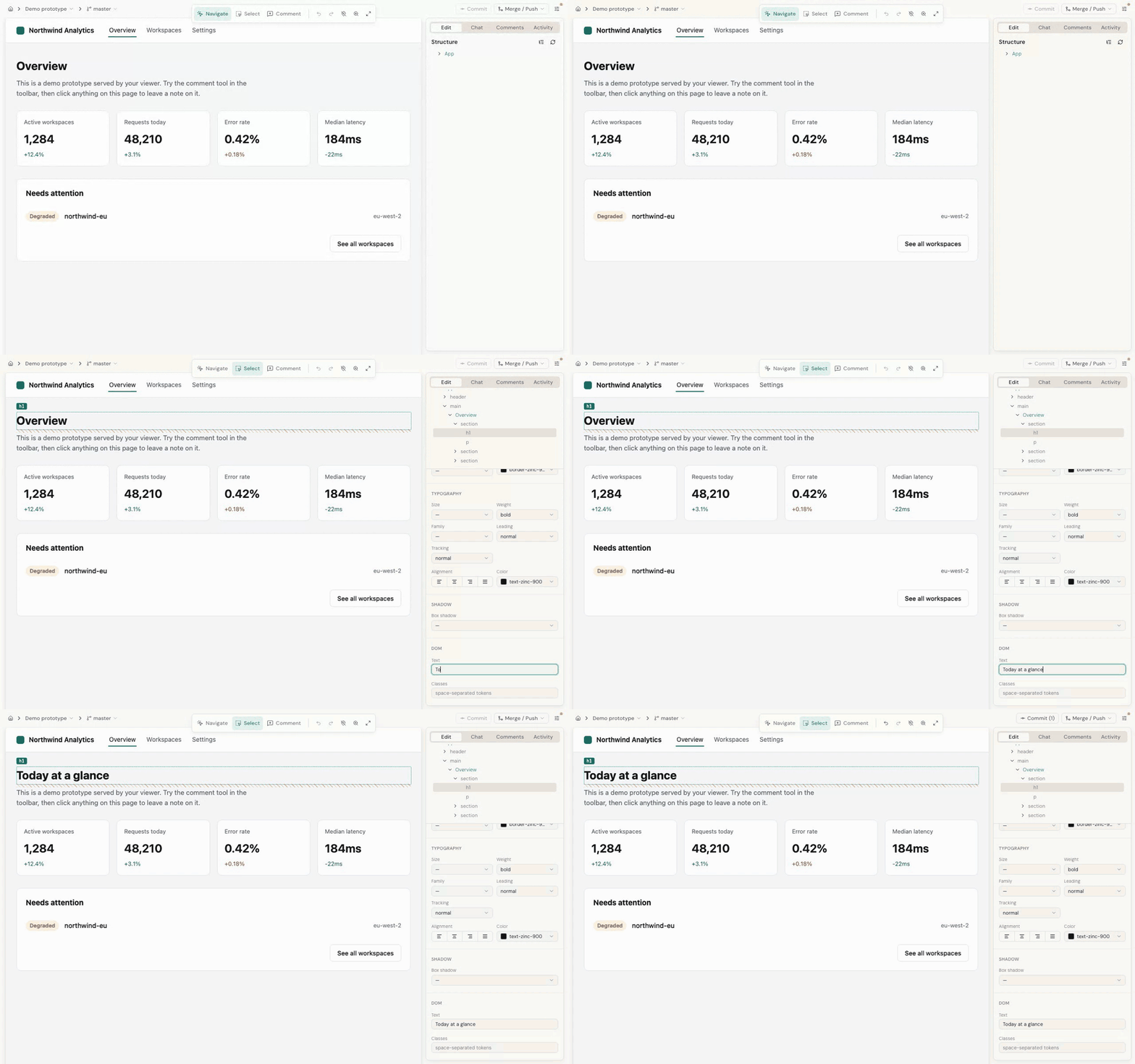
Direct edits
A model is the exception, not the pipeline.
Most edits never involve a model at all. The exact place in your source that drew the thing you clicked is found, and changed there.
A model is asked only where the code is genuinely ambiguous, which is not often. That is what makes the ordinary change instant, free, and impossible to get wrong.
Refusals are a feature
When an edit is ambiguous (which row of a repeated list did you mean, which instance of a shared component) the Editor asks instead of guessing, or declines and tells you why. Every refusal is documented.
Requirements
What your prototype needs.
It checks these when you open a project, and says plainly if something is missing.
- A git repository
- Vue 3 or React in package.json
- A dev server it can start: Vite, Nuxt, React Router or Next.js
- Dependencies installed, since it runs your project the way you do